
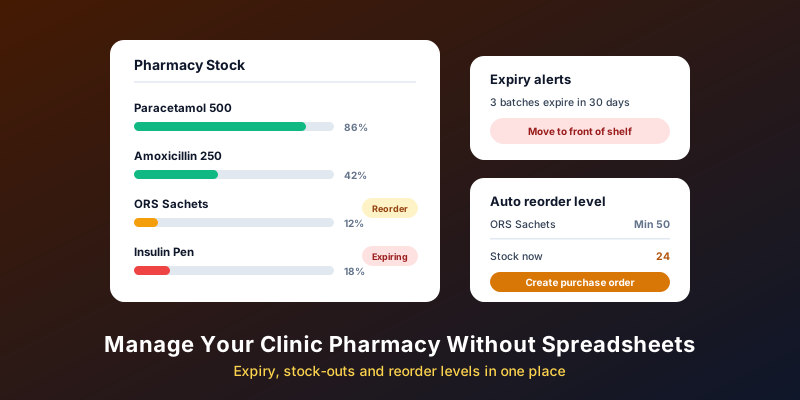
An in-clinic pharmacy or consumables store is convenient for patients and useful for the clinic, until the stock records drift from what is on the shelf. Then come expired strips found during an audit, a commonly prescribed medicine out of stock on a busy evening, and money tied up in slow movers. This guide covers how to set up expiry tracking, stock-outs and reorder levels so they run without a fragile spreadsheet.
Why Spreadsheets Break Down
A spreadsheet works when one careful person updates it every day. In practice, sales are noted on paper and entered later, purchase bills wait in a drawer, and the sheet tracks totals per medicine rather than per batch. The result is a sheet that says forty strips when the shelf holds twelve, with no idea which twelve expire first.
The fix is to record stock movements at the moment they happen, as part of work staff already do: receiving a purchase, billing a patient, moving items between departments. When stock updates as a side effect of billing, the records stay close to reality.
Start With a Clean Item Master
Every later report depends on how items are set up. For each medicine or consumable, record:
- brand name, generic name (salt) and strength, so staff can search either way;
- pack size and the unit you sell in, such as strip, tablet, bottle or vial;
- rack or shelf location;
- purchase price, selling price and tax details for billing;
- the department that holds it, if OPD, lab and procedure rooms keep separate stock.
Avoid duplicates. "Paracetamol 650" entered three ways means three half-accurate stock counts. Spend a day cleaning the list before you go live; it pays back every month after.
Batches, Expiry and First-Expiry-First-Out
Track stock by batch, not just by item. Each batch carries its own expiry date, and that is what lets you sell the earliest-expiring stock first, often called FEFO (first expiry, first out). When batches from one supplier arrive in date order, this is usually the same as first in, first out.
- Enter the batch number and expiry for every purchase, at the time of receiving.
- Pick the batch at billing, ideally by scanning, so the right batch is deducted.
- Review a "near expiry" list well ahead of time. Distributors usually have return or exchange windows, and the terms vary, so learn your suppliers’ rules and check the list early enough to use them.
- Physically separate expired stock and record its disposal, following the rules in your state.
Reorder Levels That Reflect Real Use
A reorder level is the stock count at which you place a new order. Set it too low and you run out; too high and cash sits on the shelf. A simple, widely used way to set it:
Reorder level = average daily use × supplier lead time in days + safety stock.
For example, with made-up figures: if a clinic uses about 10 strips a day, the distributor takes 3 days to deliver, and you keep 20 strips as a buffer, reorder at 50. Base average use on recent months rather than a guess, and revisit it seasonally, since demand for some items shifts with the monsoon or winter.
Not every item needs the same care. A short list of high-use, high-value items deserves weekly attention; the long tail can be reviewed monthly. A slow-moving report shows which items to stop stocking.
Linking Prescriptions, Dispensing and Billing
The cleanest setup connects three steps. The doctor’s prescription reaches the counter as an order. The pharmacist dispenses against it and bills the patient. Billing deducts the exact batch from stock. That removes re-typing, reduces dispensing mistakes from misread handwriting, and means every sale is reflected in stock without anyone remembering to update a sheet.
This is how MedHive Pro’s pharmacy and inventory modules work. Prescriptions sync from the consultation to the counter, with search by salt, brand or rack. Records are kept batch-wise, with the oldest batches sold first. Expiry alerts arrive 3 to 6 months ahead, low-stock alerts fire at the thresholds you set, a slow-moving item report is included, and billing deducts stock automatically, with barcode support. Details are on the pharmacy and inventory feature pages. For the billing side, see our post on billing built into the EMR.
Compliance Basics to Check
Selling medicines to patients is regulated separately from practising medicine. Before you run or expand a dispensary or pharmacy, check the current requirements with your State Drugs Control department and your adviser, including:
- whether your setup needs a retail drug licence, and the conditions attached to it, such as a registered pharmacist on duty;
- record-keeping for specific schedules of medicines, such as the register required for Schedule H1 drugs;
- storage conditions for items that need refrigeration;
- GST treatment of medicine sales on your invoices;
- rules on disposing of expired medicines and biomedical waste.
Software can keep the records tidy, but it does not make a setup compliant on its own. Our clinic setup checklist covers licences more broadly.
A Simple Monthly Stock Routine
- Week 1: review the near-expiry list and arrange returns or exchanges.
- Week 2: count a sample of high-value items and compare with the system. Investigate any gap.
- Week 3: check reorder levels against last month’s actual use.
- Week 4: review slow movers and decide what to stop stocking.
A full physical count once or twice a year, with the pharmacy closed or quiet, keeps the records honest.
Frequently Asked Questions
How do I move from a spreadsheet to software?
Clean the item list first, then do a full physical count with batches and expiries on the day you switch. Starting from a fresh count is more reliable than importing old figures.
Do clinics without a pharmacy need inventory tracking?
Yes, for consumables: syringes, dressings, gloves, vaccines and lab supplies. The same reorder and expiry habits prevent stock-outs mid-procedure.
Who should be allowed to adjust stock?
Limit manual adjustments to one or two people, require a reason for each, and review them monthly. Most unexplained gaps trace back to unrecorded adjustments.
Stock That Updates Itself
See how MedHive Pro links prescriptions, the pharmacy counter and billing to keep stock accurate.


