Before a patient ever calls your clinic, walks through your door, or books an appointment, they've already met you once — on Google. Your Google Business Profile is the first impression, the deciding factor, and for most clinics, the single highest-traffic page you own that you've probably never optimized.
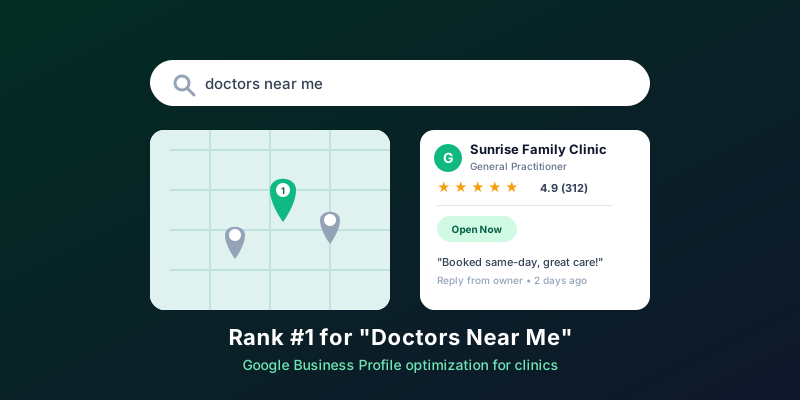
Search "doctor near me" or "dentist near me" and Google doesn't show a list of websites first — it shows a map with three pinned listings, star ratings, and a "Call" button. That's the Google Map Pack, and for local, high-intent searches like these, it captures the overwhelming majority of clicks. If your clinic isn't one of those three pins, a website redesign won't fix the problem. Your Google Business Profile (GBP) will.
Why Your GBP Matters More Than Your Website
A website is where patients go to confirm a decision they've mostly already made. A Google Business Profile is where that decision actually gets made. It's the first thing a prospective patient sees when they search by symptom, specialty, or location — complete with your rating, reviews, hours, distance, and a one-tap way to call or get directions. For a clinic, that makes it less like a business listing and more like a 24/7 front desk that never stops taking inquiries.
Local search is where patients actually start
Most patients today search for care online before they ever call a clinic directly, and a large share of those searches happen on a phone, on the move, with location turned on. That's exactly the moment a well-optimized GBP is built to win — and exactly the moment an incomplete or outdated one quietly loses the patient to the clinic listed one pin over.
1. Claim and Fully Verify Your Listing
This sounds obvious, but a surprising number of clinics are running on a GBP listing that was auto-generated by Google or claimed years ago by a former staff member who's since left. Start by confirming you actually own and can edit the listing. An unclaimed or unverified profile can't be fully optimized, can't respond to reviews properly, and signals lower trust to Google's ranking algorithm.
2. Get Your NAP Consistent Everywhere
NAP — Name, Address, Phone number — needs to match exactly across your GBP, your website, and every medical directory you're listed on. A clinic name written one way on Google and another way on Practo or Justdial confuses Google's local ranking system and can silently suppress your Map Pack position, even if every other part of your profile is perfect.
One inconsistent listing can undercut all the others
Manually checking and correcting your clinic's name, address, and phone number across dozens of medical directories is tedious, easy to neglect, and rarely stays accurate for long as clinics change hours, add doctors, or move locations.
3. Fill In Every Field — Especially Services and Categories
Google rewards complete profiles. Choose the most specific primary category available (e.g. "Pediatrician" rather than just "Doctor"), add every relevant secondary category and service you actually offer, and write a clear business description that mentions your specialties, insurance accepted, and languages spoken in plain language. This isn't just for patients — it's the raw text Google uses to decide which searches your profile should appear for.
4. Keep Hours, Holidays, and Attributes Current
Nothing erodes patient trust faster than driving to a clinic that Google said was open, only to find it closed. Update special holiday hours in advance, keep attributes like wheelchair accessibility or online appointment booking accurate, and audit your listing at least monthly for anything that's drifted out of date.
5. Add Fresh Photos Regularly
Listings with more photos consistently get more clicks and more direction requests than listings with just a stock logo. Photograph your waiting room, your front desk, your doctors (with consent), and your equipment. Upload new photos every few weeks — a profile with three-year-old photos reads as neglected, even if the clinic itself is thriving.
6. Respond to Reviews Professionally — Don't Solicit Them
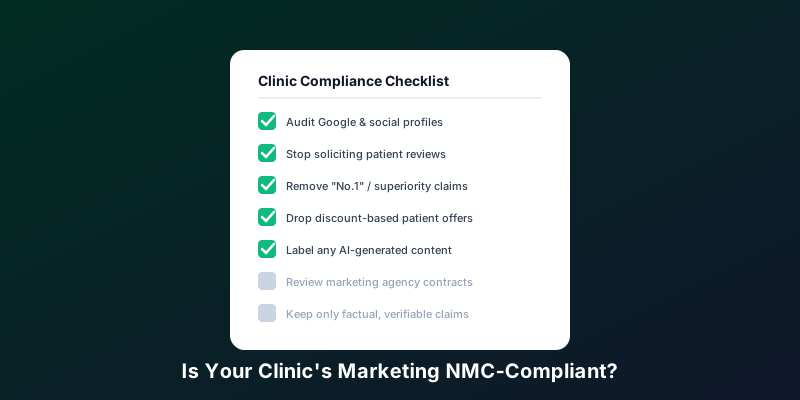
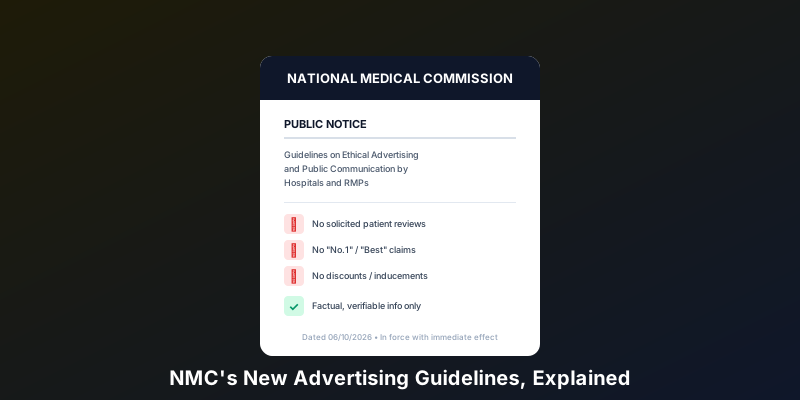
Review count, review recency, and your average star rating are among the strongest factors in whether your clinic shows up in the Map Pack at all. It's tempting to ask happy patients to leave a review on their way out — but under the NMC's October 2026 ethical advertising guidelines, this is no longer allowed. Explanation V of the guidelines is explicit: an RMP "shall not request or share patient testimonials, recommendations, endorsements or reviews for professional promotion on social media," and the same prohibition extends to hospitals and clinical establishments soliciting reviews on any platform.
What's still allowed: responding, not asking
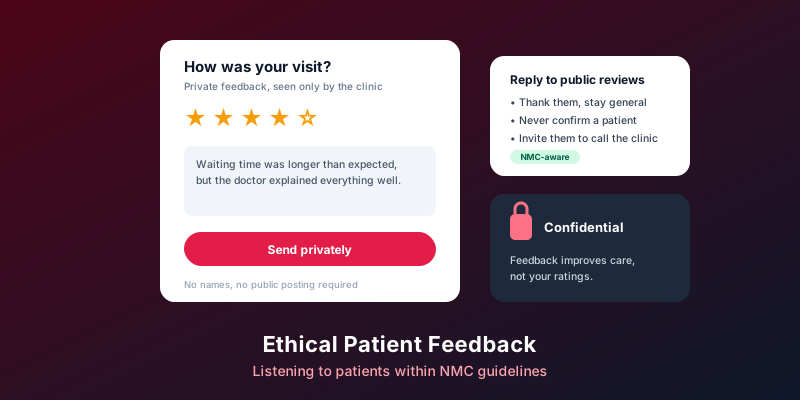
The guidelines target solicitation and manipulation of reviews — not a clinic's right to respond to reviews patients leave on their own. A prompt, professional, non-defensive reply to every review, positive or negative, remains fully compliant and is still one of the highest-leverage things a clinic can do for its reputation.
If your clinic currently runs any automated WhatsApp, SMS, or email workflow asking patients for reviews, turn it off. A thoughtful response to a negative review that arrives on its own often does more for a prospective patient's trust than chasing additional five-star reviews ever did — and it's the version of reputation management that stays on the right side of the new guidelines.
7. Use Google Posts and the Q&A Section
Most clinics ignore the Posts feature entirely, which means it's an easy way to stand out. Share updates — a new doctor joining, extended weekend hours, a seasonal health camp — directly on your profile. Also proactively seed your Q&A section with the questions patients actually ask (insurance, parking, walk-ins) before a stranger posts an outdated or inaccurate answer that sits there for months.
8. Aim for the Map Pack, Not Just Page One
Ranking on page one of Google organically is good. Ranking in the top three Map Pack results is what actually drives calls and walk-ins for "near me" searches, because that's the only section most mobile searchers ever scroll to. Getting there consistently takes more than a one-time setup — it takes ongoing technical SEO work: keyword-aligned categories, consistent citation building, review velocity, and profile activity, all maintained over time.
Common GBP Mistakes That Quietly Cost Clinics Patients
- • Letting a former employee remain the listed manager of the profile, losing edit access when they leave.
- • Leaving negative reviews unanswered for weeks, or responding defensively instead of professionally.
- • Listing the clinic under a generic category instead of the specific specialty patients actually search for.
- • Inconsistent clinic name or address across Google, the website, and third-party directories.
- • Treating GBP optimization as a one-time task instead of an ongoing part of running the clinic.
How MedHive Reach Grows Your Clinic Beyond the Profile Itself
Optimizing a Google Business Profile by hand is entirely possible — it's also a part-time job most clinic owners and front-desk teams don't have room for on top of actually running the practice. MedHive Reach is built to be that growth engine, automatically, so the profile stays optimized without becoming another task on someone's plate.
Complete GBP Optimization
Full setup and ongoing optimization of your Google Business Profile to rank for "doctors near me" and treatment-specific searches in your city.
Real-Time Review Alerts
Know the moment a new review is posted, so your team can respond within hours — without ever prompting a patient to leave one.
Local Citation Management
Your Name, Address, and Phone number kept consistent across 50+ medical directories, automatically.
Map Pack SEO
Technical local SEO strategy aimed at the top three Google Map results — where "near me" searches actually convert.
Every tactic in this guide — complete profile fields, consistent citations, fresh photos, prompt review responses — is the same fundamentals Google itself rewards, applied and maintained consistently rather than set up once and forgotten. Paired with MedHive's own verified, patient-information doctor directory, MedHive Reach keeps your clinic's online presence accurate and easy to find.
Want help keeping your GBP accurate and compliant?
See how MedHive Reach optimizes your Google Business Profile and manages your local SEO — without crossing into the patient-solicitation practices the NMC now restricts.
Explore MedHive ReachFrequently Asked Questions
How long does it take to see results from GBP optimization?
Small changes like completing missing fields or adding photos can improve click-through within days. Map Pack ranking improvements typically take a few weeks to a few months, since Google weighs review velocity and profile consistency over time, not just a single update.
Do patient reviews actually affect Google ranking, or just patient trust?
Both. Review count, average rating, and how recently reviews were posted are direct ranking factors Google uses for local search, in addition to shaping whether a patient who finds your listing decides to call.
What's the single highest-impact fix for a neglected GBP listing?
Completing every field — category, services, hours, and photos — is usually the highest-leverage first step, since an incomplete profile loses ranking regardless of review count. Note that actively asking patients for reviews is no longer permitted under the NMC's October 2026 advertising guidelines; responding to reviews that arrive on their own remains the compliant way to build reputation.
Is local citation consistency really worth the effort for a single-location clinic?
Yes — even single-location clinics are listed on far more directories than they realize (insurance networks, review sites, medical directories), and any mismatch in name, address, or phone number across them can suppress local ranking.
How is MedHive Reach different from doing this manually?
MedHive Reach automates the parts of GBP optimization that are easy to plan but hard to sustain — citation consistency across dozens of directories, real-time alerts so you can respond to new reviews quickly, and ongoing local SEO — so the profile keeps improving without needing constant manual attention from clinic staff, and without relying on practices the NMC now restricts.
Is asking patients for a Google review still allowed?
No. Under the NMC's Guidelines on Ethical Advertising and Public Communication (effective October 6, 2026), RMPs and clinics may not solicit, request, or share patient reviews, ratings, testimonials, or endorsements for promotional purposes, even informally. Responding to reviews a patient leaves unprompted is unaffected. See our full breakdown of the guidelines for the complete list of restrictions.