For many Indian clinics, WhatsApp has quietly become the second front desk. Patients send reports, ask about timings, confirm appointments and receive prescriptions on it. That convenience is real, but so are the risks: patient data spread across staff phones, reports in group chats, and messages that cross the NMC’s line on promotion. This post sorts out what is convenient, what is safe, and how to get both.
Why WhatsApp Became the Second Front Desk
Patients already use it, it works on basic smartphones, and a message is less intrusive than a call. For reminders and routine questions, it is often the channel patients actually answer. The problem is not WhatsApp itself. The problem is that most clinics adopted it informally, one phone at a time, with no rules about who sends what, from where, and what happens to the data afterwards.
Three Kinds of WhatsApp, Three Levels of Control
A doctor’s or receptionist’s personal number
The most common setup and the least safe. Patient chats mix with family groups, and photos of reports end up in the phone gallery and personal backups. When a receptionist leaves, the chat history leaves with them.
The WhatsApp Business app on a clinic phone
Better. The number belongs to the clinic, you get a business profile with address and hours, and quick replies for common questions. But it is still one phone, so anyone holding it can see everything, and messages are sent by hand.
The WhatsApp Business Platform through software
Clinic software or a messaging provider sends approved message templates, such as reminders, automatically from the clinic’s number. Nobody needs to carry patient data around on a personal device, and messages are triggered by the appointment system rather than typed. Ask any provider where message data is stored and who can see it.
Where the Risk Actually Sits
WhatsApp chats are end-to-end encrypted in transit, so the weak points are usually at either end:
- Lost or shared phones. A phone with no screen lock is an open patient register.
- Galleries and backups. Reports and photos saved automatically to the gallery, then to a personal cloud backup, are outside your clinic’s control.
- Groups and forwards. A report forwarded to the wrong group, or a staff group discussing patients by name, is a privacy breach waiting to happen.
- Departing staff. If messages live on an employee’s number, you lose both the history and the control when they leave.
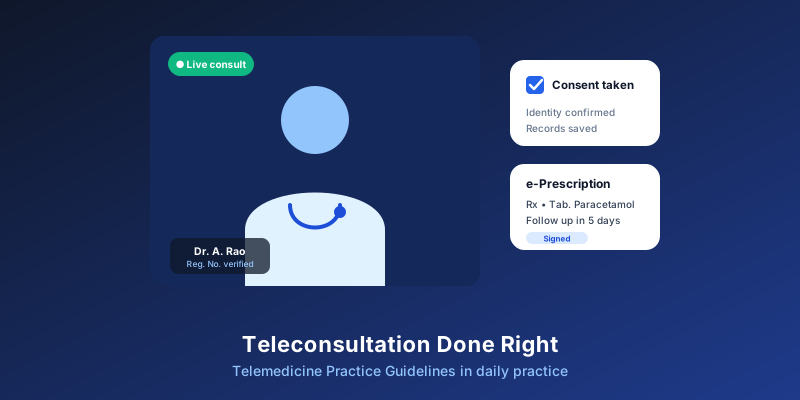
- No record in the file. Advice given on chat that never reaches the patient record leaves a gap in your notes, and the Telemedicine Practice Guidelines expect those records to be kept.
Under the DPDP Act, your clinic remains responsible for this data wherever it sits. Our guide to DPDP consent for clinics explains what changes.
What to Send, and What to Keep Off WhatsApp
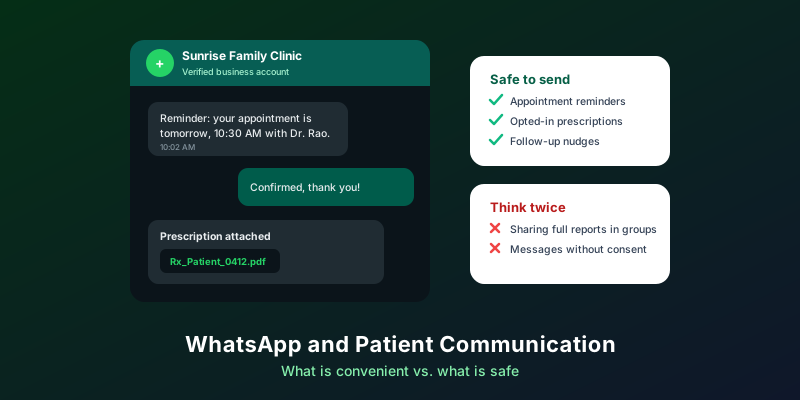
Generally fine with the patient’s agreement
- Appointment confirmations, reminders and reschedule links.
- Follow-up reminders the doctor has set.
- Prescriptions and invoices sent to the patient’s own number.
- Factual information: timings, address, holiday closures.
Handle with care
- Lab results and diagnoses: confirm you are messaging the patient or an authorised family member, and avoid sensitive detail in previews.
- Clinical advice: if you advise or prescribe on chat, treat it as a teleconsultation and record it. See our post on following the Telemedicine Practice Guidelines.
Keep out
- Patient details in staff or family groups.
- Discounts, offers and review requests. The NMC’s October 2026 advertising guidelines treat inducements and review solicitation as prohibited, and name digital mass solicitation as a serious violation. Our NMC compliance checklist covers WhatsApp in detail.
- Bulk broadcasts to every patient on file, whatever the content.
Opt-In, Opt-Out and Message Types
WhatsApp’s own business policy expects explicit opt-in before a business messages someone, with the patient told clearly that they will receive WhatsApp messages and from whom. Meta also sorts business templates into categories: utility messages tied to something the person did, such as booking an appointment, and marketing messages. Templates that mix a reminder with a promotion are treated as marketing.
For a clinic, the practical rules are:
- Ask at registration whether the patient wants reminders on WhatsApp, SMS or neither, and record the answer.
- Keep reminders purely operational.
- Act on "stop" replies straight away.
Platform policies change, so check the current WhatsApp Business terms or ask your provider.
A One-Page WhatsApp Policy for Your Clinic
- One clinic number. No patient communication from personal numbers.
- Locked devices. Screen lock on every phone that holds patient chats, and turn off automatic saving of media to the gallery.
- No patient names in groups. Discuss cases in the patient record, not on chat.
- Move it into the file. Reports received on WhatsApp go into the patient’s record, and clinical advice is noted in the visit.
- Operational messages only. Reminders, follow-ups, prescriptions, invoices and factual updates. No offers, no review requests.
- Automate what repeats. Let the appointment system send reminders so staff do not have to.
- Exit routine. When staff leave, remove their access and keep the clinic phone.
MedHive Pro sends WhatsApp and SMS appointment reminders 24 hours and 2 hours before each visit, with one-tap confirm or reschedule, plus follow-up reminders and prescriptions shared on WhatsApp. These messages come from the appointment and prescription records rather than someone’s phone. For more on reminders and missed appointments, read our post on scheduling and no-shows.
Frequently Asked Questions
Can I send a festival greeting to patients?
A plain greeting with no commercial content is a different thing from advertising, but attaching an offer makes it an inducement. Read the NMC guidelines on greetings before you send anything in bulk.
Is it safe to receive lab reports on WhatsApp?
It is common and convenient. Move the report into the patient record, then delete it from the phone if your policy says so, so it does not sit in a gallery or backup indefinitely.
Should doctors give out their personal number?
That is a personal choice, but a clinic number with clear hours protects both the doctor’s time and the patient’s data. Emergencies should always be directed to a phone call or the nearest emergency service.
Reminders Without the Personal Phones
Let MedHive Pro send appointment and follow-up reminders from your clinic, automatically.